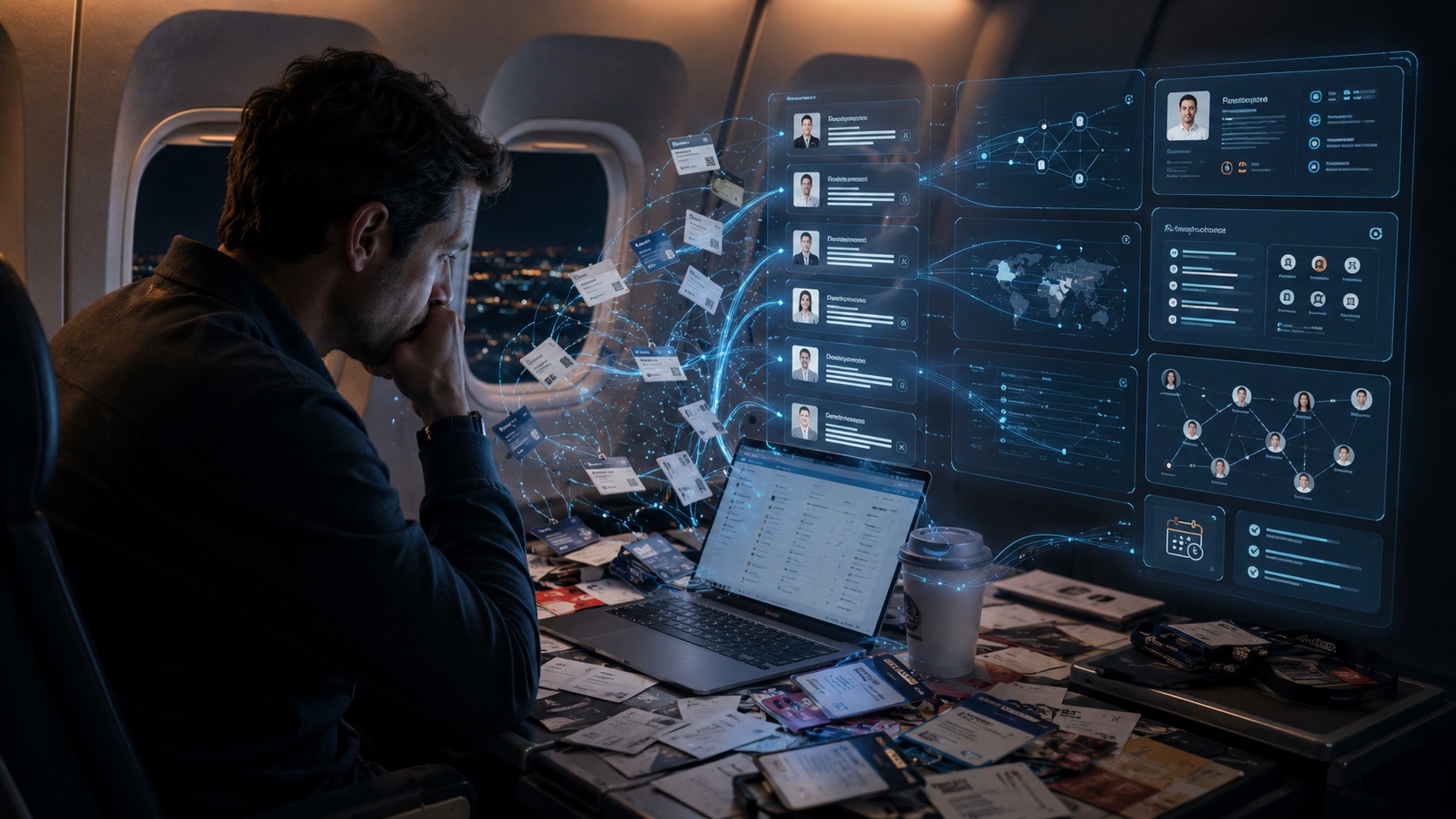
You spent thousands of dollars to attend the conference. You had 60 conversations. You flew home with a badge lanyard, a carry-on full of business cards, and the very best intentions.
By Thursday, you have emailed three people.
This is the conference lead problem, and it is far more expensive than most sales teams acknowledge. The global exhibition industry generates an estimated $398 billion in economic impact each year4, and companies spend an average of $10,861 just to staff a single booth4. Yet the Center for Exhibition Industry Research found that roughly 80% of trade show leads are never followed up on at all2. Not slow follow-up. No follow-up. The same research found that most exhibit managers cannot even track what happens to their leads after the show2. The industry is forecast to keep growing into 20263, and most of that rising investment quietly evaporates on the way home from the airport.
The tools most professionals are using simply were not built for how conferences actually work. This guide breaks down the six leading conference lead capture tools in 2026: what each genuinely does well, where each falls short based on their own published documentation, and which type of buyer each one is actually built for.
What changed in event lead capture in 2026
The lead capture landscape shifted significantly coming into 2026, and it happened on two fronts simultaneously.
First, AI enrichment became a baseline expectation. Tools that capture only a name and email are now considered incomplete5. Buyers expect company context, contact details, and conversation notes to flow together automatically, not to arrive in a CSV file three days after the event.
Second, and more importantly, the gap between badge scanning and real sales intelligence became impossible to ignore. Blinq CEO Jarrod Webb said it directly in their February 2026 Relationship Intelligence announcement:
"Badge scanners and forms can only collect basic contact details. Universal badge scanners offer a centralized tool, but they don't capture the most important part: the conversation."10
That admission from one of the category's most well-funded players tells you everything about where the industry has been and where it is going. The conversation is the asset. The badge scan is just a starting point.
A third shift, reported by EventTechLive in February 2026, is the rise of DIY capture tools built on AI platforms: GTM leaders building their own badge scanners, enrichment pipelines, and CRM routing in hours using AI coding tools5. As EventTechLive reported, one GTM leader at Replit built "a full mobile lead-scanning app with OCR, HubSpot connectors, AI enrichment, Apollo integrations, and automated territory routing" in about 20 minutes5. The implication: exhibitor expectations for what a lead capture tool should do have risen faster than most commercial tools have kept pace.
The tools, ranked and compared
1. ConferenceCRM
- Best for: anyone who meets people at conferences, individual attendees, booth workers, founders, and sales teams of any size
- Capture method: voice command or badge photo, inside Claude
- AI research: full contact research synthesis, live web research
- CRM sync: Salesforce, HubSpot, and any connected tool1
- Pricing: $20 free credit, $49/month flat for your whole team, unlimited seats, no per-user fees1
ConferenceCRM is the only tool in this category that requires no app download. It runs entirely inside Claude, Anthropic's AI assistant, via a connector you set up once in about two minutes1. After that, your CRM is a voice command away from anywhere, for everyone on your team.
The workflow is categorically different from every other tool on this list. Rather than opening an app, scanning a badge, and filling out a form, you say: "Hey, I just met Marcus. Research him and add him to ConferenceCRM." Claude handles the rest, pulling Marcus's background, company, and role automatically, saving him with the context of where you met and why the conversation mattered1.
This works just as powerfully for the person networking the floor as it does for someone working a booth for eight hours. Shirah Benarde, co-founder of NightCapIt, described her booth experience directly:
"I named my CRM Cleo and just talk to her in Claude. I meet hundreds of buyers at every trade show, and now not one slips through the cracks."1
That is a booth worker meeting hundreds of people, precisely the use case where voice-first capture and automatic research matter most, because the volume is highest and the time between conversations is shortest. The site puts it plainly: "Conferences are run-and-gun: dozens of quick exchanges with no time for data entry. Catch every connection here in the moment, so your real pipeline never fills up with half-formed leads."1
Why running inside Claude changes everything
Most CRM tools have a fixed feature set. ConferenceCRM has something structurally different: it inherits the full capability stack of Claude, the AI, the open web, and every MCP connector available, working against a purpose-built, AI-native database1. In practice, this means the tool gets more powerful every time Anthropic ships a new Claude capability or a new MCP connector is published, without a single new product feature needing to be built.
Live web research, not static enrichment databases. Where every other tool on this list enriches contacts from a database that was last updated before you met them, ConferenceCRM lets you ask Claude to go research someone right now. Recent company news, funding announcements, LinkedIn activity, product launches, synthesized into a briefing attached to the contact's record, in real time1. As the site describes it: "Claude researches every contact you meet, pulling their background, company, and role from the web and the data tools you already use. You reconnect already knowing who they are and what they care about."1
Apollo, Gmail, Calendar, and any MCP connector, in the same conversation. Because MCP (the Model Context Protocol) is an open standard now governed by the Linux Foundation and adopted across the entire AI industry22, ConferenceCRM connects to a growing ecosystem of tools in the same conversation where you captured the contact:
- Apollo for prospecting and deep enrichment: "Find me 10 more people at Marcus's company who match his profile"
- Gmail for drafting and sending personalized follow-ups: "Draft a follow-up email to everyone I marked Hot from the conference"
- Google Calendar for scheduling: "Schedule 30-minute calls with my top five leads from last week"
- Salesforce or HubSpot for syncing the contacts that matter: "Push the keepers into HubSpot," no exporting, no copy-paste1
- Any other MCP connector as the ecosystem grows
All of it runs in plain conversational language. All of it writes to and reads from the same database.
An AI-native database that understands context, not just data. The underlying database is structured around four relational tables, People, Opportunities, Activities, and Companies, designed to talk to each other through an AI layer. This means you do not query it with filters and dropdowns. You ask it questions:
"Who should I follow up with this week?"
"Which companies from last month's conference have open opportunities?"
"What's happened with everyone I met at the Austin event?"
The system understands what those questions mean and answers them, because the fields store context rather than just text strings. No other tool in this comparison offers this. Blinq, Popl, HiHello, iCapture, and CamCard are all closed systems with fixed feature sets and static data models. ConferenceCRM is an open system built on the most capable AI platform available2122, with a database architecture designed for the way relationships actually work.
The practical result: a booth worker at a three-day trade show who meets 200 people does not come home with 200 names in a spreadsheet. They come home with 200 researched, contextualized contacts, with conversation notes attached, draft follow-up emails ready, and a pipeline sorted by priority, all without having touched a form or typed a single entry1.
Honest limitation: requires an active Claude subscription. Teams not already using Claude have an onboarding step before the tool is usable.
2. Blinq
- Best for: sales teams at booths who need badge scanning with CRM integration and conversation context
- Capture method: badge scan, business card scan, QR code, digital card share
- AI enrichment: yes, Premium plan and above
- CRM sync: yes, Business plan and above
- Pricing: Free (card sharing only, no scanning), Premium $9.99/month, Business $6.99/user/month, Enterprise custom11
Blinq is one of the most complete event lead capture platforms available in 2026: 4 million users, backed by HubSpot Ventures, ranked #1 in Event Lead Capture on G212. Their February 2026 launch of Relationship Intelligence, announced directly by CEO Jarrod Webb, made them the first major badge-scanning platform to explicitly address the conversation-capture gap10.
What it does well:
- Universal badge scanning works at any event, regardless of organizer12
- AI contact enrichment fills in missing contact details automatically on Premium and above11
- AI Notetaker captures conversation context on Premium and above11
- Custom lead capture forms and Badge Kit APIs available on Business plan11
- Full CRM sync on Business plan11
What it cannot do, verified from official pricing:11
- The free plan does not include scanning. The free tier is card sharing only. Universal contact scanning, AI Notetaker, and AI enrichment all require Premium ($9.99/month) at minimum
- CRM sync requires the Business plan at $6.99/user/month. For a 20-person sales team, that is $139/month versus ConferenceCRM's flat $49/month for unlimited seats1
- Per-user pricing scales against you as team size grows
- Requires an app download, not Claude-native or AI-assistant integrated
- Not connected to the open MCP ecosystem; the feature set is fixed by Blinq's own roadmap
The honest read on Relationship Intelligence: it is a genuine product. Webb is candid that traditional badge scanners miss the conversation, and RI is their answer10. The key difference from ConferenceCRM is the workflow model: Blinq is still scan-first, app-first, and closed. ConferenceCRM is voice-first, lives inside your existing AI assistant, and connects to any MCP tool1.
3. Popl
- Best for: enterprise GTM organizations running booths at multiple events per year
- Capture method: badge scan, NFC tap, QR code, LinkedIn QR
- AI enrichment: yes, validated contact and company data
- CRM sync: yes, real-time, all major platforms
- Pricing: Free (14-day trial), Pro $7.99/month, Pro+ $14.99/month, Teams custom17
Popl serves 2.5 million professionals across 90% of the Fortune 500 and is the #1 installed app on HubSpot16. For large sales organizations running booths at 10 or more events per year, Popl's team workflows, analytics, lead routing, and real-time CRM sync are genuinely well-built.
What it does well:
- Universal badge scanning at any event, any organizer16
- AI enrichment provides validated, clean contact and company data16
- Real-time CRM sync, no manual steps, no CSV exports16
- Strong team features: lead routing, shared dashboards, consistent capture forms across reps16
What it cannot do, verified from official sources:1617
- No voice capture, all capture is scan or form-based, requiring the Popl app
- Custom lead capture forms and AI features are not available on the Pro plan ($7.99/month); these require Pro+ ($14.99/month) or above17
- Team-level event lead capture is enterprise and custom pricing, with no published team rate
- Requires an app download
- No AI research synthesis: enrichment fills in data fields, it does not synthesize context about who someone is and why the conversation matters
- Closed system, no MCP integration, fixed feature set
4. HiHello
- Best for: professionals who want a polished digital business card and lightweight contact exchange
- Capture method: card scanner (Business plan), QR sharing
- AI enrichment: Contact Enrichment on paid plans (since Spring 2025)
- CRM sync: Salesforce and HubSpot on Business plan
- Pricing: Free, Professional, Business, Enterprise (custom)15
HiHello is the most complete digital business card platform: 2 million professionals in 180+ countries, 64 million cards shared13. In Spring 2025, they added Contact Enrichment for paid plan users, which automatically discovers LinkedIn profiles, websites, and publicly available professional information14.
What it does well:
- Polished, media-rich digital business cards with enterprise brand control13
- Salesforce and HubSpot integration on Business plan15
- Contact Enrichment (paid) auto-discovers LinkedIn and web presence14
- Google and Outlook contact sync15
What it cannot do, verified from official sources:131415
- No voice capture at any tier
- Contact Enrichment discovers existing public profiles. It auto-discovers LinkedIn profiles and websites14; this is data discovery, not research synthesis. It does not pull live web research or synthesize who someone is and why they matter to you
- Salesforce and HubSpot sync is Business plan only, not available on Professional or free
- Requires an app download
- No MCP integration, closed system
The honest read: HiHello is an exceptional solution for the outbound problem, sharing your information beautifully and consistently. It is not purpose-built for the inbound problem: capturing, researching, and contextualizing everyone you meet on a conference floor.
5. Cvent iCapture
- Best for: large enterprise sales organizations with dedicated event marketing functions attending multiple trade shows
- Capture method: badge scan (any event, any organizer), business card transcription
- AI enrichment: not listed as a product feature18
- CRM sync: yes, all major platforms
- Pricing: enterprise, no published pricing, requires sales contact, no free trial19
Per Cvent's own product page, iCapture's value proposition centers on process consistency: one standardized capture workflow your reps use at every show, clean and consistent lead data, and immediate routing into the right CRM18.
What it does well:
- Works at any trade show, regardless of which registration system the organizer uses18
- Standardized capture forms ensure consistent data quality across a team18
- Immediate CRM routing, "Route leads to the right place instantly"18
- Analytics on which events, reps, and messages drive results18
What it cannot do, verified from official sources:1819
- No AI enrichment, it captures what is on the badge, with no enrichment feature listed
- No voice capture, app and form-based workflow only
- No free trial and no published pricing19, it requires a sales conversation before you see a number
- Built for exhibitor booth teams and enterprise sales organizations; pricing and process overhead are misaligned for individual attendees or small teams
6. CamCard
- Best for: scanning and organizing paper business cards in one-on-one settings
- Capture method: business card photo (OCR)
- AI enrichment: not listed as a feature20
- CRM sync: yes, Salesforce, Microsoft Dynamics, SugarCRM, Google Contacts, Outlook
- Pricing: free tier available; Business plan by request, 10-day free trial20
CamCard has been digitizing business cards for 15 years, with a proven, accurate OCR engine and broad CRM integration20. The Business plan adds bulk card scanning, ISO/IEC security certification, and advanced login controls relevant for enterprise compliance20.
What it does well:
- Proven, accurate OCR for scanning paper business cards20
- Broad CRM sync: Salesforce, Microsoft Dynamics, SugarCRM, Google Contacts, Outlook20
- Bulk card scanning on Business plan20
- ISO/IEC security certified, relevant for enterprise data compliance20
What it cannot do, verified from official sources:20
- Paper business cards only. CamCard is built for scanning paper cards, not event badges or QR codes
- No AI enrichment or contact research, the tool transcribes what is on the card, it does not research who someone is
- No voice capture at any tier
- Business team pricing requires contacting sales, no published rate
Master comparison table
| Feature | ConferenceCRM | Blinq | Popl | HiHello | Cvent iCapture | CamCard |
|---|---|---|---|---|---|---|
| Voice capture | ✅ | ❌ | ❌ | ❌ | ❌ | ❌ |
| No app download | ✅ Lives in Claude | ❌ | ❌ | ❌ | ❌ | ❌ |
| Badge scanning | ✅ Photo snap | ✅ Premium+ | ✅ | Business only | ✅ | ❌ Cards only |
| AI research synthesis | ✅ Live web + MCP | ⚠️ RI, Business | ❌ Enrichment only | ❌ Discovery only | ❌ | ❌ |
| Conversation context | ✅ Linked to contact | ✅ RI, Business | ❌ | ❌ | ❌ | ❌ |
| AI contact enrichment | ✅ | ✅ Premium+ | ✅ | ✅ Paid plans | ❌ | ❌ |
| Open MCP ecosystem | ✅ Apollo, Gmail, Calendar, more | ❌ | ❌ | ❌ | ❌ | ❌ |
| AI-native database | ✅ People, Opportunities, Activities, Companies | ❌ | ❌ | ❌ | ❌ | ❌ |
| CRM sync | ✅ Salesforce, HubSpot + more | ✅ Business plan | ✅ Real-time | ✅ Business plan | ✅ | ✅ Multiple |
| Works for booth teams | ✅ | ✅ | ✅ | ⚠️ | ✅ | ❌ |
| Works for individual attendees | ✅ Built for both | ✅ | ⚠️ | ✅ | ❌ | ✅ |
| Flat team pricing | ✅ $49/mo all seats | ❌ $6.99/user/mo | ❌ Custom | ❌ Custom | ❌ Custom | ❌ Custom |
| Free to start | ✅ $20 credit | ❌ Paid to scan | ✅ 14-day trial | ⚠️ Varies | ❌ No trial | ✅ Free tier |
| Claude / AI-assistant native | ✅ MCP-native | ❌ | ❌ | ❌ | ❌ | ❌ |
Table reflects each tool's official pricing pages and product documentation as of June 2026. Features may differ by plan tier, so verify on each tool's pricing page before purchasing. For a dollars-and-cents breakdown, including the hidden per-event and per-seat fees and what a team actually pays, see what conference lead capture tools actually cost in 2026.
The follow-up window: why the tool you choose determines your results
Every tool in this guide ultimately exists to solve the same problem: the window between meeting someone and following up effectively is far shorter than most professionals act on.
The foundational research here comes from a Harvard Business Review study by Oldroyd, McElheran, and Elkington, published in March 2011 and still the most-cited study in B2B lead response research6. Analyzing 1.25 million sales leads across 2,241 U.S. companies, the study found that companies responding within one hour were dramatically more likely to qualify a lead than those who waited longer, and the probability degraded rapidly from there6.
The industry has long talked about a 72-hour follow-up window as best practice, but independent survey data shows how few exhibitors hit even that. EXHIBITOR Magazine's 2015 Sales Lead Survey found that only 22% of exhibitors respond within 24 to 48 hours of a show, the window most likely to convert, while the majority do not reach their leads until five or more days later7. That delay is costly: InsideSales.com's research found that 35 to 50% of sales go to the vendor that responds first8. By the time most attendees sit down to write emails, the fastest competitor has often already replied.
The problem is not that salespeople do not know follow-up matters. The problem is that the capture tools they are using do not give them enough context to follow up meaningfully. Without notes, without research, without conversation context tied to each contact, you are writing generic emails to names you half-remember. The research cannot help you, because it was never captured1.
The gap is not about effort, it is about context. Cvent's research of more than 2,000 business executives found that what makes a prospect want to keep doing business after an event is personalization: 34% are most likely to continue when the follow-up shows the sender remembers the specific needs of their business, and 22% say personalization is the deciding factor9. Generic, half-remembered follow-up is exactly what loses the deal. That is a capture and context problem before it is a process problem. For the system that fixes it, see how to follow up after a conference.
Which tool is right for you?
The most important thing to understand about this comparison is what these tools are actually competing on. Badge scanners, Blinq, Popl, and iCapture, solve the contact data layer: capturing a name, company, and email from a badge. ConferenceCRM solves the relationship intelligence layer: capturing who someone is, what you talked about, why they matter, and what happens next, for both the person walking the floor and the person working the booth.
These are not competing products serving the same need. For most conference-goers, they are two layers of the same workflow.
You are an individual attendee, founder, or sales rep networking the floor. ConferenceCRM. Voice-first, AI research on every contact, no app to download, flat $49/month for unlimited team seats1.
You work a booth and meet dozens or hundreds of people per day. ConferenceCRM. As Shirah Benarde describes it: "I meet hundreds of buyers at every trade show, and now not one slips through the cracks."1 Volume is the exact problem ConferenceCRM is built for. Badge scanners capture data. ConferenceCRM captures relationships. Booth workers need both, and the relationship layer is where pipeline actually comes from.
You already have a CRM and want ConferenceCRM alongside it. That is explicitly how the product is designed1: "Catch every connection here in the moment. When you're back and you know who matters, push the keepers into the CRM you already use, like Salesforce or HubSpot. Just ask Claude to sync them, no exporting, no copy and paste."1
You need enterprise-grade standardized routing and analytics across a large booth team. Add Blinq Business or Popl Enterprise for your data infrastructure and team workflows, and ConferenceCRM on top for the research and relationship intelligence layer.
You want a polished digital business card and light professional enrichment. HiHello Business plan.
You need to organize a collection of paper business cards. CamCard. It is a proven, purpose-built OCR tool for exactly that job.
The bottom line
The event lead capture category is splitting in 2026. On one side: badge scanning infrastructure for companies running booths, Blinq, Popl, and Cvent iCapture, that routes contact data into standardized team workflows. On the other: a new category of AI-native tools that capture the relationship, not just the record.
The distinction matters because of a simple truth: a badge scan tells you who someone is. A conversation tells you why they matter. Only one of those gets you a signed deal.
ConferenceCRM is the only tool in this guide that lives where modern professional work increasingly happens, inside an AI assistant, in plain language, without a new app or interface to learn1. It inherits the full capability stack of Claude: live web research, Apollo prospecting, Gmail drafting, Calendar scheduling, and a growing ecosystem of MCP connectors2122, all working against an AI-native database that understands People, Opportunities, Activities, and Companies as connected context, not disconnected rows.
For any professional who meets people at conferences, whether they are walking the floor or working a booth, that is not a feature list. It is the product.
Sources
All sources verified live as of June 2026. Tool limitations are cited only from each company's own official product documentation, pricing pages, or official announcements. Market statistics are drawn from independent research bodies, CEIR/IAEE, EXHIBITOR Magazine, InsideSales.com, and Cvent's own commissioned research, not from competing vendors in the event lead capture space.
- ConferenceCRM. (2026). Every connection, captured, researched, and organized in seconds (product features; voice capture workflow; AI research synthesis; AI-native database of People, Opportunities, Activities, and Companies; Shirah Benarde testimonial; MCP connector setup; $20 free credit; $49/month flat team pricing; Salesforce and HubSpot sync). https://conferencecrm.com/
- Center for Exhibition Industry Research (CEIR). (2012). Exhibitor sales lead capture and follow-up practice trends (interviews with 198 exhibitors, June 2012; roughly 80% of trade show leads go unfulfilled; 69% of exhibit managers cannot track what happens to leads after the show; the foundational industry benchmark on trade show lead follow-up). CEIR / International Association of Exhibitions and Events (IAEE). Findings independently cited by Siskind, B., The harsh realities of lead follow-up, Sources.com, and Pro Expo Exhibits (2022), Trade show lead management tips.
- International Association of Exhibitions and Events (IAEE) / Center for Exhibition Industry Research (CEIR). (2026, May 4). 2026 CEIR Index Report: B2B exhibition industry performance and forecast through 2028 (CEIR Total Index forecast to grow 2.1% in 2026; produced with Tourism Economics, an Oxford Economics company; measures net square feet, attendance, exhibitors, and revenue across 14 U.S. B2B sectors). IAEE. https://www.iaee.com/news/iaee-releases-2026-ceir-index-report/
- ShowFloorTips Research Team. (2026, February 14). State of trade shows 2026: We analyzed 25,000 events (25,003 trade shows across 104 countries; global exhibition industry economic impact of $398 billion annually per the UFI Global Exhibition Barometer; average booth cost $10,861; March the busiest month with 2,374 events). ShowFloorTips. https://showfloortips.com/state-of-trade-shows-2026.html
- Parry, A. (2026, February 16). The event lead capture landscape in 2026: Navigating DIY tools, platform consolidation, and the data advantage (AI enrichment as a baseline expectation; Replit DIY lead capture quote; exhibitor expectations rising faster than commercial tools). EventTechLive. https://eventtechlive.com/the-event-lead-capture-landscape-in-2026-navigating-diy-tools-platform-consolidation-and-the-data-advantage/
- Oldroyd, J. B., McElheran, K., & Elkington, D. (2011, March). The short life of online sales leads (1.25 million sales leads across 2,241 U.S. companies; companies responding within one hour far more likely to qualify leads; the foundational study on B2B lead response timing). Harvard Business Review. https://hbr.org/2011/03/the-short-life-of-online-sales-leads
- EXHIBITOR Magazine. (2015). 2015 Sales Lead Survey (62% of exhibiting leads contacted within five days; only 22% of exhibitors respond within 24 to 48 hours of a show, the window most likely to convert). Cited in ExhibitorOnline, Info-based tips to improve lead management. https://www.exhibitoronline.com/topics/article.asp?ID=2208
- InsideSales.com (now XANT). (2014). Lead Response Report (35 to 50% of sales go to the vendor that responds first). Cited in ExhibitorOnline, Info-based tips to improve lead management. https://www.exhibitoronline.com/topics/article.asp?ID=2208
- Cvent. (2019, May 22). Exhibition and conference exhibitors are failing to capitalise on interactions with prospects and convert sales leads (2,000+ UK business executives surveyed; 34% most likely to continue business when the sender remembers important aspects of their business needs; 22% require personalized follow-up; generic pitches and misspelled names cited as top reasons to disengage). Cvent Newsroom. https://www.cvent.com/en/press-release/exhibition-and-conference-exhibitors-are-failing-capitalise-interactions-prospects
- Webb, J. (2026, February 10; updated April 15, 2026). Introducing Relationship Intelligence: How we are helping businesses win in-person events (CEO announcement; badge scanners miss the conversation; RI captures conversation context, pain points, and buying signals). Blinq Blog. https://blinq.me/blog/introducing-relationship-intelligence-for-in-person-events
- Blinq. (2026). Pricing (Free plan card sharing only, no scanning; Premium $9.99/month for universal scanner, AI Notetaker, AI enrichment; Business $6.99/user/month for forms, CRM sync, Badge Kit APIs, RI; Enterprise custom). https://blinq.me/pricing
- Blinq. (2026). Homepage (4M users; HubSpot Ventures-backed; #1 Event Lead Capture on G2; users at 93% of Fortune 500). https://blinq.me/
- HiHello. (2026). Digital business cards (2M+ professionals; 180+ countries; 64M+ cards shared). https://www.hihello.com/features/digital-business-cards
- HiHello. (2025, Spring). Spring into networking with HiHello's newest features (Contact Enrichment auto-discovers LinkedIn profiles and websites on paid plans). HiHello Blog. https://www.hihello.com/blog/spring-into-networking-with-hihellos-newest-features
- HiHello. (2026). Pricing (Salesforce and HubSpot integration on Business plan only; Google and Outlook sync; feature tiers by plan). https://www.hihello.com/pricing
- Popl. (2026). Event lead capture (2.5M professionals; users at 90% of Fortune 500; #1 installed app on HubSpot; universal badge scanning; AI enrichment; real-time CRM sync). https://popl.co/pages/event-lead-capture
- Didur, V. (2026, January 20). Popl pricing (2026): Full breakdown for teams and individuals (Pro $7.99/month without custom forms or AI features; Pro+ $14.99/month for advanced features; 14-day free trial). DigitalBusinessCard.com. https://www.digitalbusinesscard.com/blog/popl-pricing
- Cvent. (2026). Trade show lead capture you can trust: Cvent iCapture (standardized capture forms; lead routing; no AI enrichment listed as a product feature). https://www.cvent.com/en/event-marketing-management/cvent-icapture
- OMR Reviews. (2026). iCapture review (no free version; no free trial; enterprise pricing model). OMR. https://omr.com/en/reviews/product/icapture
- CamCard (INTSIG). (2026). Pricing (Business plan unlimited card scanning; AI-powered card recognition; CRM integrations with Salesforce, Microsoft Dynamics, SugarCRM, Google Contacts, Outlook; ISO/IEC security certified; no AI enrichment listed; 10-day free trial). CamCard. https://www.camcard.com/pricing
- Anthropic. (2024, November). Introducing the Model Context Protocol (MCP open standard; Claude action layer; external tool connections). Anthropic Newsroom. https://www.anthropic.com/news/model-context-protocol
- Anthropic. (2025, December). Donating the Model Context Protocol and establishing the Agentic AI Foundation (10,000+ active public MCP servers; 75+ Claude connectors; 97 million monthly SDK downloads; governed by the Linux Foundation; adopted by ChatGPT, Cursor, Gemini, Microsoft Copilot, Visual Studio Code). Anthropic Newsroom. https://www.anthropic.com/news/donating-the-model-context-protocol-and-establishing-of-the-agentic-ai-foundation
Editorial note: this article cites tool limitations only where confirmed by each company's own official product pages, pricing pages, or official announcements. All market statistics are sourced from independent research bodies, CEIR/IAEE, EXHIBITOR Magazine, InsideSales.com, and Cvent's own commissioned research, not from competing vendors in the event lead capture space. Verify current feature availability directly on each tool's official pricing page before purchasing, as features in this category are evolving rapidly in 2026.